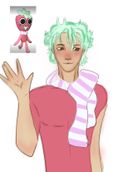
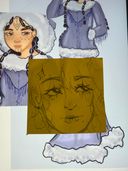
@FloopLoop's post on Artfol



 Just hanging around
  Digital artist
New to procreate… all I know how to do is flip the canvass… make new layers… and change the opacity. I need help lol. Any tips?Jul 19, 2023
Comments
You know where you can import photos? If you slide on that little icon, you can import a private image, meaning it won’t show up on the playback video!
You can drag the color wheel when you hold the corner of the square thing it’s in
You can make animations on it
When you click on palettes, click the + in the corner and import a photo and it’ll generate a color palette
Adjustments, there’s a gradient map, once you finish drawing something you can click on that and lower the opacity to make everthing blend together or get the tone
Tinderbox is the best brush for lineart
You can drag the color wheel when you hold the corner of the square thing it’s in
You can make animations on it
When you click on palettes, click the + in the corner and import a photo and it’ll generate a color palette
Adjustments, there’s a gradient map, once you finish drawing something you can click on that and lower the opacity to make everthing blend together or get the tone
Tinderbox is the best brush for lineart
•