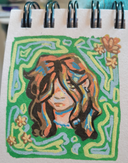
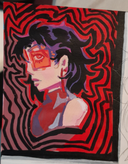
@cyanghostart's post on Artfol




Hello, everyone! I'm interested in doing speedpaints, does anyone have any tips/ advice for how to get started?Jan 31, 2023
#question
Comments

If you want to add music or sounds, you'll have to look for royalty free music/sounds. Assuming you'd be uploading the videos on YouTube.
If you're using a PC, then I'd recommend OBS for recording and Da Vinci Resolve for video editing. Both are free.

If you're using a PC, then I'd recommend OBS for recording and Da Vinci Resolve for video editing. Both are free.
•
•Hello!
I'm not sure what program you use for artwork but IbisPaint X is the best for beginners and saving speed paints.
After you've created an artwork, simply press the top header and select "Save as MP4 file" and choose how long you want the video to be (6sec, 30sec, 1min, etc.)
The app will then download the video onto your device and you can share it to any social media platform !
Procreate does this too but I don't know how since I don't have an iPad.
Tips:
–Make sure you only draw things that are related to the artwork, not random scribbles or text as they might show up in the final video. (You can always cut them out with a video editing software like Capcut but prevention is better than cure.)
–Assuming that you use IbisPaint X, if you press the icon at the top of an artwork, select the option "View fixation" to change the way the speed paint will look.

I'm not sure what program you use for artwork but IbisPaint X is the best for beginners and saving speed paints.
After you've created an artwork, simply press the top header and select "Save as MP4 file" and choose how long you want the video to be (6sec, 30sec, 1min, etc.)
The app will then download the video onto your device and you can share it to any social media platform !
Procreate does this too but I don't know how since I don't have an iPad.
Tips:
–Make sure you only draw things that are related to the artwork, not random scribbles or text as they might show up in the final video. (You can always cut them out with a video editing software like Capcut but prevention is better than cure.)
–Assuming that you use IbisPaint X, if you press the
icon at the top of an artwork, select the option "View fixation" to change the way the speed paint will look.•
•If you choose csp you will have to press the button that basically says record before you start your drawing and in procreate the feature is automatic it records when you start drawing

•
Two programs that have a speed painting feature are clip studio which is not free and procreate which is not free either
•