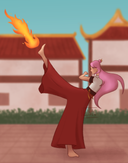
@lilaclupin's post on Artfol



In procreate, the brushes behave differently when you tilt the stylus, like a real pencil. Is there a way to turn this off?? I really dislike this feature because I need to be careful how I hold my stylus so that this doesn't happen, but I'm sure you can turn it off somehow, I just don't know how :') please help me out
Edit: figured it out!! I don't know if there is a way to completely turn off the tilt thing, but what annoyed me was that it kept happening even though my stylus wasn't tilted. Solution: I was told it happens when your hand touches the screen at the same time as the stylus, so I turned on palm rejection and now it's gone! It only registers the stylus as tilted when it actually is now. :D Dec 12, 2022
Edit: figured it out!! I don't know if there is a way to completely turn off the tilt thing, but what annoyed me was that it kept happening even though my stylus wasn't tilted. Solution: I was told it happens when your hand touches the screen at the same time as the stylus, so I turned on palm rejection and now it's gone! It only registers the stylus as tilted when it actually is now. :D Dec 12, 2022
#question
#procreate
Comments
https://procreate.com/handbook/procreate/5.1/brushes/brush-studio-settings/
Go to Brush Studio -> Shape -> Tilt Roundness
"Squash your shape based on how much Apple Pencil tilt you apply."

Go to Brush Studio -> Shape -> Tilt Roundness
"Squash your shape based on how much Apple Pencil tilt you apply."
•
•And sometimes I hold the stylus exactly the same and the brush still looks different??

•
•